Are you tired of the same old battery icon and want to make your phone's battery display unique?
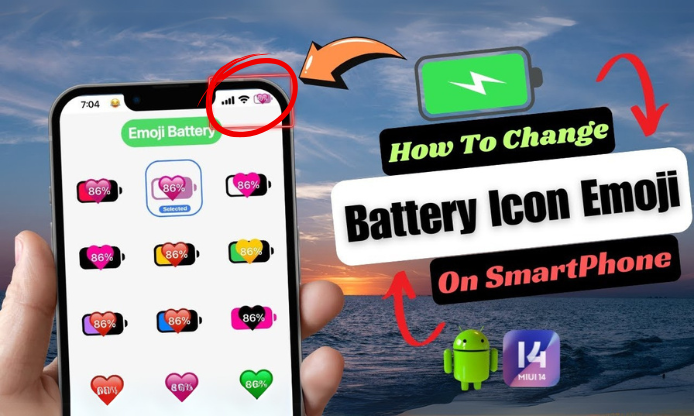
Make your own battery emoji, it’s not just about aesthetics—it’s a new way of expressing mood and personality. And now, there’s one app that brings this trend to your home screen: Emoji Battery Widget!
Before we start introducing this app, let's make a pre-quiz. If you could totally customize your battery icon style, what would you pick?(Choose one🔋)
A: Display different cute expressions on the battery icon based on the battery level.
B: Customize the battery icon based on my mood or activity.
C: Use popular anime or cartoon characters as battery icons.
D: Show a warning expression on the battery icon when it's low, reminding me to charge.
Your answer might just be the reason you need this app—Emoji Battery Widget. Whether you want the battery icon to show cute expressions or customize it based on your mood or activity, this app can easily achieve it!
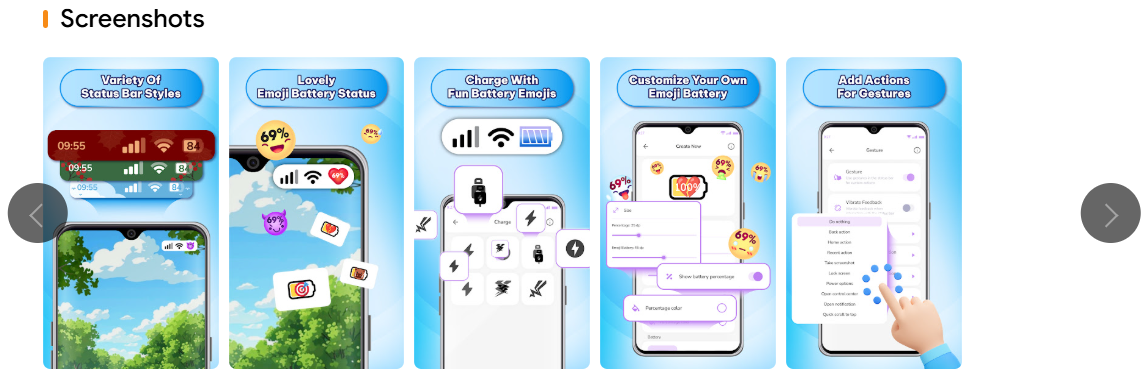
🔎Core Feature 1: Custom Emoji Display for Battery Levels
You can assign a unique emoji to different battery levels, turning every percentage into a tiny emotional update on your home screen.
🔎Core Feature 2: Real-Time Widget Update
No need to refresh—the widget updates instantly and accurately as your battery percentage changes.
🔎Core Feature 3: Multiple Widget Styles to Match Any Aesthetic
Choose from a variety of styles—cute, minimalist, retro, or quirky—to match your home screen setup perfectly.
Then, How To Make Your Own Charging Stickers For Your Battery by Emoji Battery Widget?
Tip 1: Allow Widget Access
Make sure to grant the app permission to show widgets on your home screen; otherwise, the battery emoji won’t appear.
Tip 2: Match with Wallpaper Theme
Choose emoji icons that match your wallpaper colors or mood—your screen will feel more cohesive and polished.
Tip 3: Adjust Widget Size for Better Fit
Customize the widget size to suit your screen layout and avoid covering other icons.
FAQs:
Q1: Why isn’t my emoji showing on the battery widget?
A: Ensure you’ve added the correct widget and allowed background refresh. Also, check system permissions for widgets.
Q2: Can I upload my own emoji?
A: Not yet! The current version only supports built-in emoji packs, but custom uploads might come in future updates.
Q3: Will it drain my battery?
A: Not at all. The widget is designed to be lightweight and battery-friendly.
Want to unlock more cool and cute battery icon emojis? Tap to Get Emoji Battery Widget now and make your phone interface unique!