
RATINGS
20M
DOWNLOADS
4+
AGE

 Download Latest APK

Wait a moment, your result is coming soon!

Face is not found. Please try again with another clear full-face portrait of a better quality.

Take Quiz Now
Screenshots


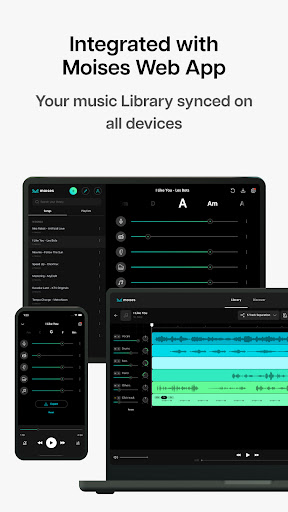

About this app
-
 Name Moises
-
 category Music & Audio
-
 Price Free
-
 Safety 100% Safe
-
 Developer Moises Systems
-
 Version 2.3.0
-
 Target Music Creators
-
 Update 2026.11.21
Related articles




Core Features
-
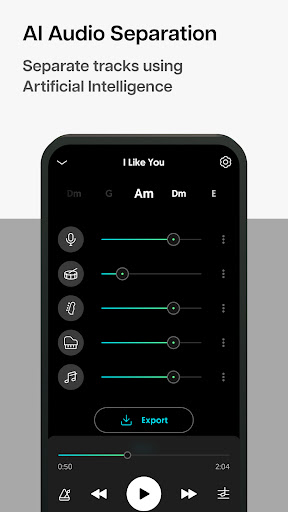
Vocal and Instrument IsolationMoises allows you to extract and remove vocals from any song and isolate instruments from any audio or video file. This feature is perfect for karaoke enthusiasts wanting pure instrumental tracks and producers looking to remix or sample parts of songs.
-
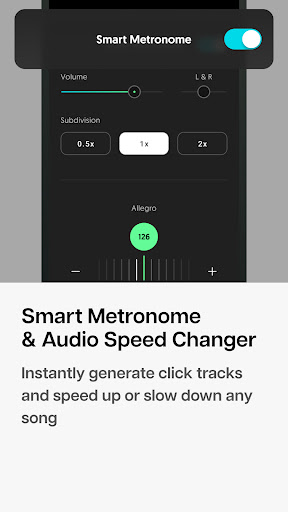
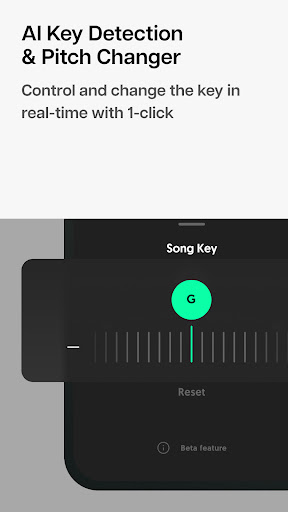
Pitch and Speed ChangerWith the pitch changer, you can transpose music to your preferred key, while the speed changer lets you adjust the playback speed, making it easier to practice or create music exactly as you envision.
-
AI Chords DetectionGet synchronized chords alongside your music for a seamless play-along experience. This innovative feature helps users follow along with their instruments easily, enhancing their practice sessions.
-
Advanced Mixer and Customization ToolsMoises boasts a powerful mixer allowing users to adjust volumes, apply effects, and control playback dynamics. Users can trim and loop music parts, tailoring the audio to fit their precise needs.
-
Multiple Import and Export OptionsEasily upload songs or import tracks using URLs. Moises supports various file formats for both audio and video, providing great flexibility for all kinds of users.
Pros
-
High-Quality Audio SeparationThe app's AI-driven technology delivers impressive audio separation, making it easy to create high-fidelity karaoke tracks or remixes without losing sound quality.
-
User-Friendly InterfaceDesigned with simplicity in mind, Moises offers an intuitive interface that makes it easy for anyone, from beginners to professionals, to create and remix music effortlessly.
-
Comprehensive Support for MusiciansMoises caters extensively to different types of music creators, whether you are a student, teacher, DJ, or just a music lover, providing unique tools that enhance your musical journey.
Cons
-
Limited Free PlanUsers on the free plan face restrictions such as limited uploads (5 per month) and reduced file duration (5 minutes), which may hinder more serious creators.
-
Processing Time LimitationsThe free version has a standard processing queue, which could lead to longer waiting times for users compared to premium subscribers who enjoy a faster processing experience.
-
Some Features Not Available in Free VersionKey features such as unlimited uploads, all instruments separation, and WAV file downloads are only available through the premium plan, which may deter users looking for a fully functional experience.
Price
-
Free PlanThe free version offers basic functionalities including 5 uploads per month and limited access to features like instrument separation and pitch change, making it ideal for casual users.
-
Premium SubscriptionFor a nominal monthly fee, users can unlock unlimited uploads, premium features like high-quality WAV downloads, advanced mixer tools, and enhanced processing speed, providing a comprehensive music editing experience.