
RATINGS
400M
DOWNLOADS
4+
AGE

 Download Latest APK

Wait a moment, your result is coming soon!

Face is not found. Please try again with another clear full-face portrait of a better quality.

Take Quiz Now
Screenshots
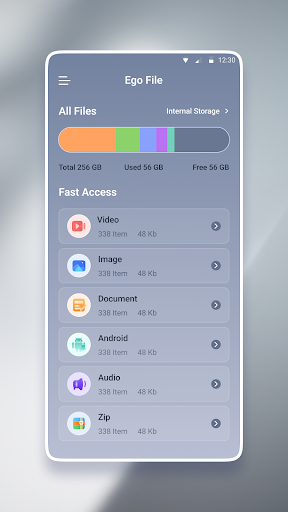
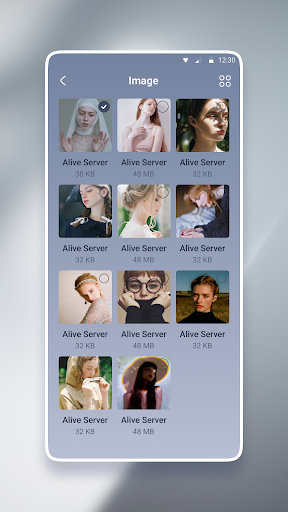
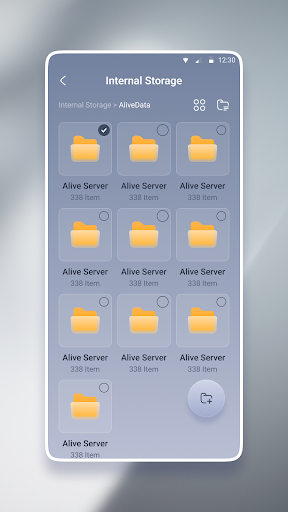
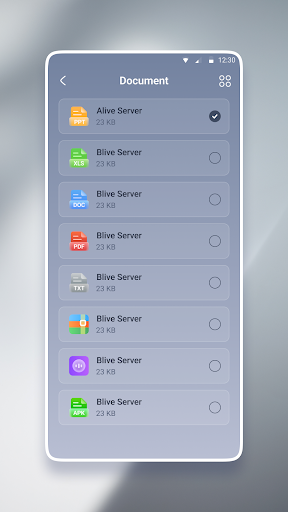
About this app
-
 Name Ego File
-
 category Productivity
-
 Price Free
-
 Safety 100% Safe
-
 Developer 王馨雨
-
 Version 1.0.5.10
-
 Target Apple Users
-
 Update 2026.11.21
Related articles




Core Features
-
Seamless Integration with Apple EcosystemEgo File is designed to work effortlessly within Apple's ecosystem, enabling users to manage files and access cloud storage directly from their iOS and macOS devices without any compatibility issues.
-
User-Friendly InterfaceThe application provides an intuitive interface that simplifies file management, making it easy for users to navigate through files, organize them, and access them whenever needed.
-
Enhanced Security FeaturesEgo File places a strong emphasis on data security, incorporating encryption protocols and secure access options to ensure your files are safe from unauthorized access while stored in the cloud.
Pros
-
Optimized for Apple UsersEgo File offers an unparalleled user experience for Apple device users, enhancing productivity with its direct integration into the macOS and iOS systems.
-
Intuitive DesignThe app’s design prioritizes user experience, allowing even novice users to manage their files effortlessly without a steep learning curve.
-
High-Level SecurityWith robust security features, users can trust that their sensitive files are protected from unauthorized access, providing peace of mind.
Cons
-
Limited Platform SupportEgo File is primarily focused on Apple's ecosystem, which poses challenges for users on Windows or Android systems, limiting the accessibility and file management capabilities across different devices.
-
Limited Feature SetAs a smaller application, Ego File may not offer the extensive features and integrations found in larger cloud services, potentially limiting its usefulness for power users needing advanced functionalities.
-
Cost ConsiderationsThe subscription or purchase cost of Ego File might not provide the best value compared to free or competitively priced alternatives, especially considering the breadth of features they offer.
Price
-
Subscription ModelEgo File may require a subscription fee for premium features that enhance the user experience, although a basic version is likely available at no cost for essential file management tasks.
-
Free Basic VersionUsers can access a free version of Ego File, which allows for fundamental functionalities, ensuring that even those on a budget can manage their files effectively.
-
Assessing ValuePotential users should weigh the subscription cost against the features offered compared to other services to determine if the investment is warranted based on individual file management needs.