
RATINGS
530M
DOWNLOADS
4+
AGE

 Download Latest APK

Wait a moment, your result is coming soon!

Face is not found. Please try again with another clear full-face portrait of a better quality.

Take Quiz Now
Screenshots



About this app
-
 Name BlueStacks For Android
-
 category Education
-
 Price Free
-
 Safety 100% Safe
-
 Developer Code-Master.org
-
 Version 1.4
-
 Target Developers
-
 Update 2026.11.21
Related articles




Core Features
-
Robust Android EmulationBlueStacks offers a strong and reliable emulator for Android applications, providing a seamless experience for debugging and deployment. It stands out as an excellent alternative to standard emulators, ensuring developers can work effectively without limitations.
-
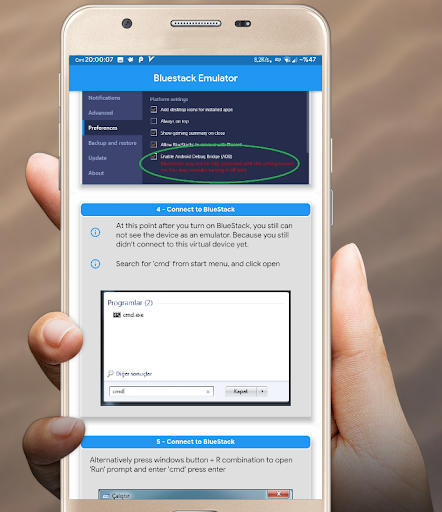
User-Friendly TutorialThe app includes a comprehensive guide with step-by-step instructions and visual aids, making it accessible even for novice developers. This support helps users navigate the setup process and maximize the emulator's capabilities.
-
Integration with Development ToolsAlthough it requires additional tools and command prompt usage for manual connections, BlueStacks integrates well with various programming environments. This flexibility allows developers to deploy and test apps in a realistic Android environment.
Pros
-
Strong PerformanceBlueStacks is known for its strong performance and reliability, making it ideal for developers who need an efficient environment to run their Android applications without lag.
-
Alternative to Standard EmulatorsAs an alternative to traditional emulators, BlueStacks provides unique features that may outperform other solutions, especially for users facing issues with standard options.
-
Visual Learning ResourcesThe availability of visual instructions caters to varying learning styles, making it easier for users to grasp complex concepts and setup procedures more quickly.
Cons
-
Requires Additional SetupUsers must navigate challenges such as additional tool installations and manual command prompt connections, which might deter those seeking a 'plug-and-play' experience.
-
Compatibility IssuesSome users may encounter compatibility issues with certain software versions or hardware configurations, limiting its accessibility for a broader audience.
Price
-
Free to UseBlueStacks is available for free, providing users access to powerful emulation tools without upfront costs, making it an accessible choice for developers of all levels.
-
Optional Paid FeaturesWhile the free version is robust, users may enjoy enhanced features and services through optional subscriptions that provide additional functionality for professional developers.