
RATINGS
860M
DOWNLOADS
4+
AGE

 Download Latest APK

Wait a moment, your result is coming soon!

Face is not found. Please try again with another clear full-face portrait of a better quality.

Take Quiz Now
Screenshots


About this app
-
 Name Calendar
-
 category Productivity
-
 Price Free
-
 Safety 100% Safe
-
 Developer Calendar Date
-
 Version 16.4
-
 Target Casual Users
-
 Update 2026.11.21
Related articles




Core Features
-
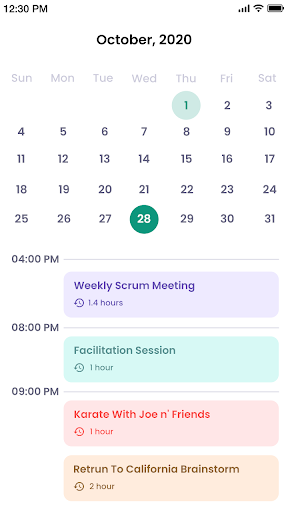
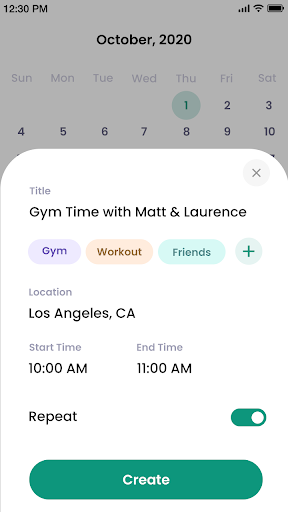
Meeting InvitationsEasily send and receive meeting invitations with Proton Calendar, ensuring seamless organization and communication among team members.
-
Automatic Event IntegrationAutomatically add events from Gmail, such as flight, hotel, concert, and restaurant reservations to keep your calendar updated without manual entry.
-
Personal Goals SchedulingSet personal goals like 'run 3 times a week', and let the calendar automatically schedule time for these activities around your existing commitments.
-
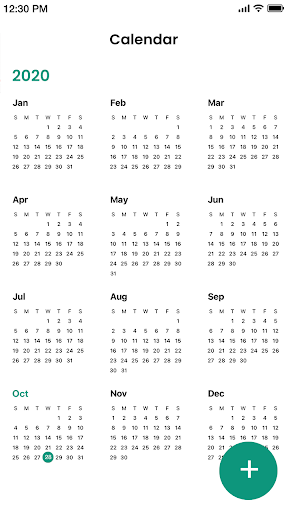
Multi-View OptionsView all events in List, Day, Week, Month, or Year formats, making it easy to plan and manage your schedule effectively.
-
Integrated To-Do ListCombine events and tasks by using Reminders to view to-dos alongside your scheduled appointments for enhanced productivity.
Pros
-
Centralized Calendar ManagementManage multiple calendar accounts from a single app, including seamless integration with popular calendar services.
-
Custom Reminder SettingsSet customizable reminders and alarms to ensure you never miss an important appointment or deadline.
-
Subscription to Various CalendarsEasily subscribe to calendars for holidays, favorite sports teams, and more, enriching your scheduling experience.
-
User-Friendly InterfaceEnjoy an intuitive layout that simplifies the scheduling and viewing process, catering to both casual users and busy professionals.
-
Efficient Task ManagementCategorize and manage tasks seamlessly within the calendar for a holistic view of your daily responsibilities.
Cons
-
Potential Overwhelm with FeaturesWith numerous functions and settings, some users might find the initial setup and navigation overwhelming.
-
Device DependencyRequires access to the internet for certain automated features, which can be limiting in offline scenarios.
-
Minor Syncing IssuesOccasional syncing discrepancies may arise between different devices if not properly configured, leading to potential schedule clashes.
-
Learning Curve for New UsersUsers unfamiliar with digital calendars might face a brief learning curve before fully utilizing all features available.
-
Limited Offline FunctionalitySome features require internet connectivity and may not function fully offline, potentially disrupting usage during travel.
Price
-
Free Version AvailabilityThe app is available for free, providing basic scheduling and management features that cater to general user needs.
-
Premium FeaturesUpgrade to the premium version for additional functionalities, including enhanced customization and priority customer support.
-
Ad-Free ExperienceChoose the premium subscription for an ad-free interface, ensuring uninterrupted use of the calendar's features.
-
Flexible Subscription PlansVarious subscription plans are available, making it easy to select one that fits your budget and usage needs.
-
No Hidden FeesAll features in the free version are clearly outlined, ensuring transparency without unexpected charges.