RATINGS
730M
DOWNLOADS
4+
AGE

 Download Latest APK

Wait a moment, your result is coming soon!

Face is not found. Please try again with another clear full-face portrait of a better quality.

Take Quiz Now
Screenshots


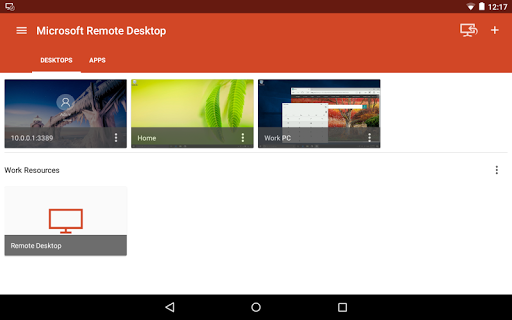


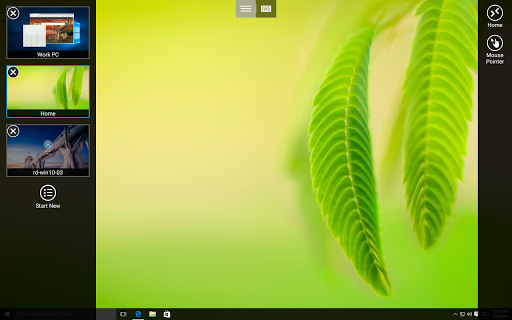


About this app
-
 Name Microsoft Remote Desktop 8
-
 category Business
-
 Price Free
-
 Safety 100% Safe
-
 Developer Microsoft Corporation
-
 Version 8.1.82.445
-
 Target Business Professionals
-
 Update 2026.11.21
Related articles



Core Features
-
Remote Gateway ConnectivityEffortlessly connect to your Windows desktop remotely through a secure Remote Desktop Gateway, allowing for versatile access to your files and applications from anywhere.
-
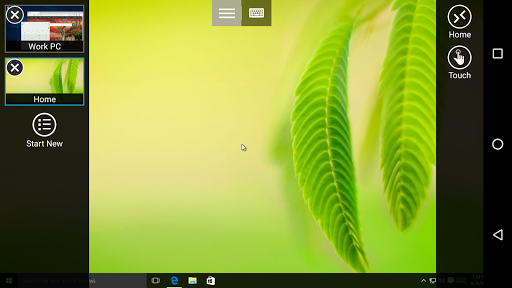
Multi-Touch SupportExperience a rich and engaging multi-touch environment that supports Windows gestures, making navigation simple and familiar, just like using your desktop.
-
Secure ConnectionsEnjoy peace of mind with a secure connection to your data and applications, ensuring that sensitive information remains protected when accessed remotely.
-
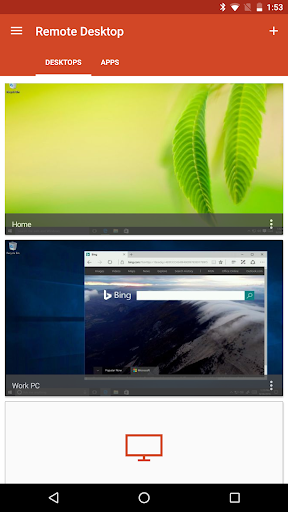
Connection ManagementEasily manage all your remote connections in one place through the Connection Center, allowing quick access and streamlined handling of multiple sessions.
-
High-Quality StreamingExperience high-quality video and audio streaming during remote sessions, providing a smooth and immersive experience for collaborative work or leisure.
Pros
-
User-Friendly InterfaceThe application provides a straightforward interface, making it intuitive for users of all skill levels to navigate and manage their remote desktop connections.
-
Versatile Access OptionsUsers can access their desktop remotely, whether for work or personal use, from various devices, ensuring flexibility in accessing important applications and data.
-
Robust SecurityWith secure connection protocols, users can confidently access sensitive materials without the risk of compromise, making it ideal for business professionals.
-
Performance OptimizationThe app is optimized for performance, ensuring a responsive experience even on slower networks, which is crucial for effective remote work.
Cons
-
Device DependencyHigh-quality features might not perform optimally on low-end devices, as some users report slow response times or lag when using resource-intensive applications.
-
Permissions RequirementThe app requires certain permissions, including access to local storage, which may raise concerns about privacy and data security among some users.
-
Limited Features Compared to Desktop VersionSome advanced features available in the desktop version of Microsoft Remote Desktop are not present in the mobile app, which may limit certain functionalities for power users.
Price
-
Free to DownloadMicrosoft Remote Desktop 8 is free to download and use, offering a comprehensive set of features without the need for a subscription.
-
No Hidden FeesAll features available in the app can be accessed without any hidden fees or in-app purchases, providing transparency for users.