RATINGS
130M
DOWNLOADS
4+
AGE

 Download Latest APK

Wait a moment, your result is coming soon!

Face is not found. Please try again with another clear full-face portrait of a better quality.

Take Quiz Now
Screenshots

About this app
-
 Name Scanner App
-
 category Business
-
 Price Free
-
 Safety 100% Safe
-
 Developer BPMobile
-
 Version 5.2.8
-
 Target Business Professionals
-
 Update 2026.11.21
Related articles

Core Features
-
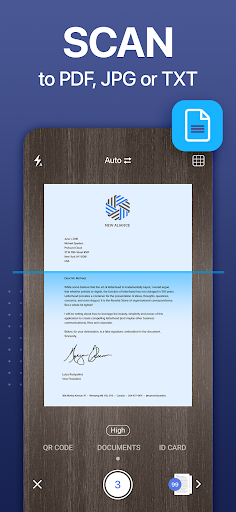
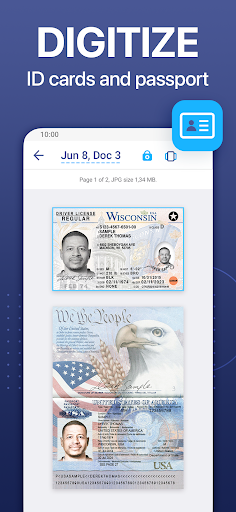
Comprehensive Document ScanningScan and digitize various types of documents including work papers, receipts, ID cards, and more using your device's camera. Transform physical documents into easily shareable digital formats like PDF or JPEG, enhancing your workflow on the go.
-
Electronic Signature FeatureSign important documents directly within the app and send them to clients or partners instantly. Save your signature for future use, making document handling quicker and more efficient for everyday business tasks.
-
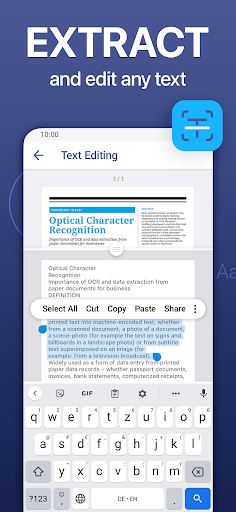
Text Recognition (OCR)Utilize advanced OCR technology to convert images into editable text. This feature allows users to extract and edit text from scanned documents easily, supporting multiple languages for diverse needs.
-
PIN ProtectionEnsure the security of your scanned documents with customizable PIN settings. Lock the entire app or specific folders to keep sensitive information private and secure.
-
Multipage Scanning and Document EditingCombine multiple pages into one document effortlessly. The app also acts as a document editor, allowing users to cut, copy, paste, reorder, and delete pages as needed, providing a comprehensive tool for document management.
Pros
-
User-Friendly InterfaceThe Scanner App boasts an intuitive and simple interface, making it accessible for users of all technical levels. You can scan, edit, and share documents with just a few taps.
-
High-Quality ScansProduce crystal-clear scans in various colors, ensuring readability and professionalism whether you’re sharing business contracts or personal documents.
-
Secure StorageAll scanned documents are stored locally on your device, ensuring that your confidential information is not accessible by third parties or external servers.
-
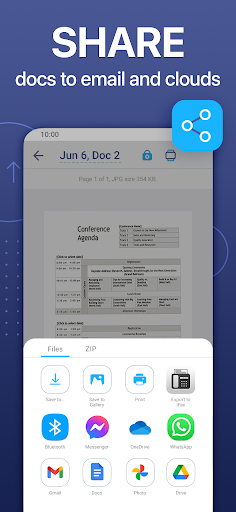
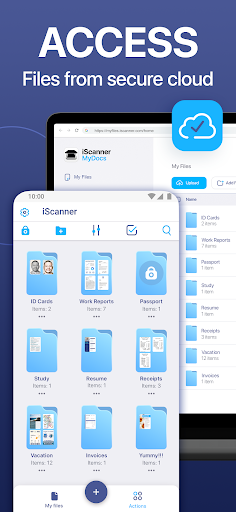
Seamless Cloud IntegrationEasily upload and share documents via popular cloud services like Dropbox, Evernote, and Google Drive, simplifying document accessibility across devices.
-
Versatile Document FormatsScan to multiple formats along with options for grayscale, black & white, or full color, catering to your document needs with flexibility and choice.
Cons
-
Limited Advanced Features in Free VersionSome advanced features may require in-app purchases or subscriptions, which could limit the functionality for users relying solely on the free version.
-
OCR Accuracy May VaryWhile the OCR technology is efficient, the accuracy may vary depending on text clarity and formatting, which may require manual corrections for complex documents.
-
Performance on Low-End DevicesUsers on lower-end devices may experience slower performance, especially when scanning larger documents or using multiple features simultaneously.
-
Requires Image ClarityFor optimal scanning results, document clarity is crucial. Any blurriness or unclear images can lead to subpar scan quality, impacting readability.
-
Internet Connectivity for Some FeaturesCertain functionalities may require internet access, such as document sharing or cloud uploads, which could be a limitation when offline.
Price
-
Free Version AvailabilityThe Scanner App is available for free with essential features suitable for everyday document scanning needs, making it accessible for casual users.
-
In-App PurchasesUsers can opt for premium features or ad-free experience through in-app purchases, providing enhanced functionality for business users or frequent scanners.
-
Subscription ModelA subscription model may offer additional benefits such as unlimited cloud storage, advanced editing tools, and priority customer support, ideal for professional creators.