
RATINGS
610M
DOWNLOADS
4+
AGE

 Download Latest APK

Wait a moment, your result is coming soon!

Face is not found. Please try again with another clear full-face portrait of a better quality.

Take Quiz Now
Screenshots










About this app
-
 Name Skype for Business
-
 category Business
-
 Price Free
-
 Safety 100% Safe
-
 Developer Microsoft Corporation
-
 Version 6.25.0.27
-
 Target Business Professionals
-
 Update 2026.11.21
Related articles




Core Features
-
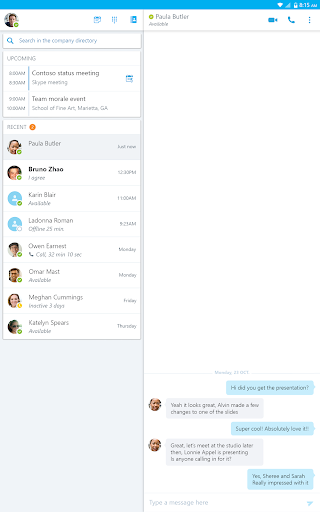
Group IM and Video ConversationsEasily initiate group instant messaging or video conversations, allowing you to invite additional participants, which enhances collaborative communication in your team.
-
Join and Manage MeetingsSeamlessly join, rejoin, or initiate Skype for Business Meetings to brainstorm and collaborate effectively on projects, ensuring that your ideas are communicated clearly.
-
Video Sharing CapabilitiesShare your video feed and view the speaker’s video during conferencing sessions, enriching your interaction and making the virtual meeting more personal.
-
Meeting Control OptionsHave full control over your meetings by muting or removing attendees as needed, along with the ability to monitor participants' modalities for effective management.
-
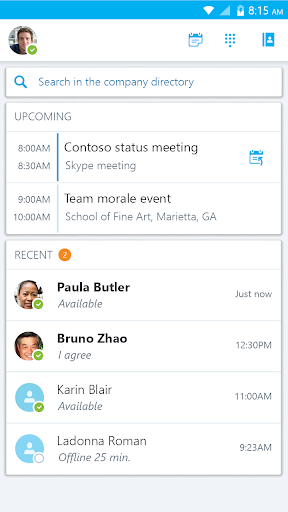
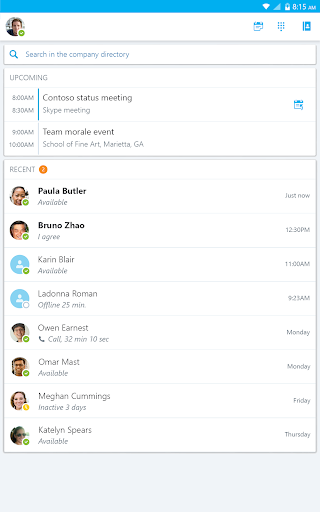
Quick Access to Meetings and ConversationsEasily access your upcoming meetings with one-click entry while being able to pick up from your recent conversations, streamlining your workflow.
Pros
-
Enhanced Collaboration ToolsSkype for Business provides powerful collaboration features that enable team members to communicate effectively through video, IM, and meetings, significantly boosting productivity.
-
User-Friendly InterfaceThe application is designed for intuitive use, allowing users to navigate meetings and conversations with ease, thus reducing the learning curve for new users.
-
Robust Security FeaturesUtilizes Active Directory Authentication Library (ADAL) for enhanced security, ensuring that your communications are protected against unauthorized access.
Cons
-
Account RequirementTo unlock the full capabilities of Skype for Business, users need to have an existing Skype for Business or Lync account, which might limit accessibility for some users.
-
Dependency on InfrastructureThe app requires connectivity to valid licensed copies of Microsoft Lync or Skype for Business Server or Office 365, which may not be available for all users or companies.
-
Some Functionality Not UniversalCertain features may not be available worldwide or might require updates to the Lync or Skype for Business Server, potentially restricting user experience.
Price
-
Free to DownloadSkype for Business can be downloaded for free on Android devices, but full functionality depends on having a valid business account and infrastructure support.
-
Paid Features Through SubscriptionWhile the app is free, comprehensive features are accessible through a subscription to a Skype for Business service which may include additional tools and capabilities.