RATINGS
13M
DOWNLOADS
4+
AGE

 Download Latest APK

Wait a moment, your result is coming soon!

Face is not found. Please try again with another clear full-face portrait of a better quality.

Take Quiz Now
Screenshots


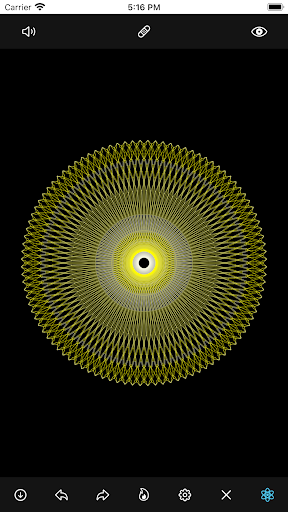


About this app
-
 Name Mandala Maker 360
-
 category Art & Design
-
 Price 0.49
-
 Safety 100% Safe
-
 Developer Humble Kid Creation
-
 Version 5.0
-
 Target Creative Individuals
-
 Update 2026.11.21
Related articles


Core Features
-
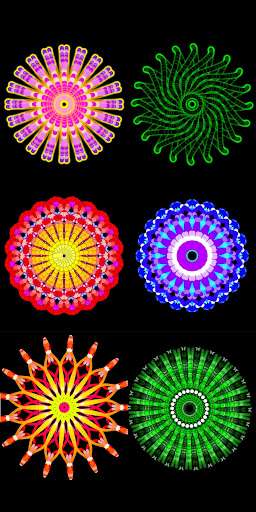
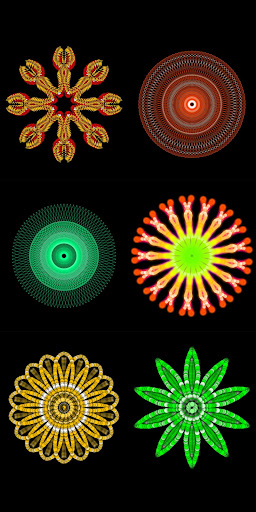
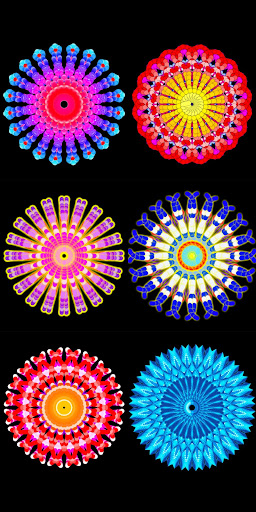
Intricate Mandala CreationEasily create beautiful and complex mandala drawings with user-friendly tools, making artistic expression accessible to everyone.
-
Extensive Customization OptionsCustomize your canvas creatively by changing the symmetry, background color, and brush settings. Apply shadows and effects to enrich your artwork.
-
Predefined PatternsChoose from a variety of predefined patterns to jumpstart your creations, which helps both beginners and experienced users to enhance their mandala designs.
-
Image UtilizationUtilize over 50 images as a base for your mandala designs, allowing for unique and personalized creations that combine both drawing and image manipulation.
-
Dynamic Brush CustomizationExplore multiple brush styles, random color selection, and adjustable brush sizes to bring diverse artistic effects to your mandala artwork.
Pros
-
User-Friendly InterfaceThe app's intuitive design simplifies the mandala creation process, making it easy for users of all skill levels to engage in art without a steep learning curve.
-
Richness of FeaturesWith abundant customization options for canvas, brushes, and patterns, users can create artwork that feels personal and unique, enhancing user satisfaction.
-
Artistic FlexibilityAbility to use images for drawing allows for innovative designs that can blend photography with traditional mandala art, expanding creative possibilities.
Cons
-
Device Resource IntensiveThe app may experience performance issues on older devices, especially when handling high-resolution graphics or extensive designs.
-
Limited Drawing TechniquesWhile the app is great for mandala drawing, it may not cater to users looking for advanced drawing or painting techniques beyond its core features.
Price
-
Free and Paid VersionsThe app offers a free version with all essential features to create mandalas, while a paid version provides additional tools and customization options for serious artists.