RATINGS
384M
DOWNLOADS
4+
AGE

 Download Latest APK

Wait a moment, your result is coming soon!

Face is not found. Please try again with another clear full-face portrait of a better quality.

Take Quiz Now
Screenshots

About this app
-
 Name Anime Maker
-
 category Art & Design
-
 Price 0
-
 Safety 100% Safe
-
 Developer kenmaz.net
-
 Version 8.0
-
 Target Casual Creators
-
 Update 2026.11.21
Related articles

Core Features
-
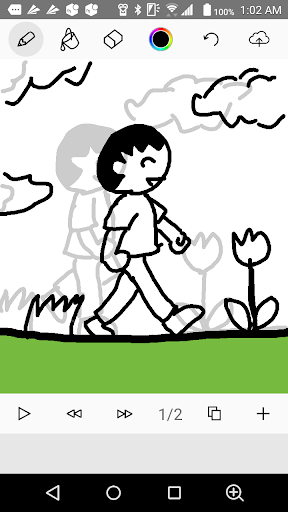
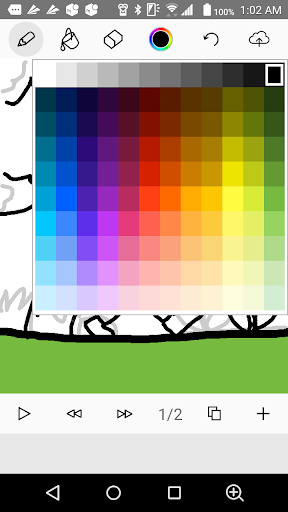
Easy Drawing InterfaceAnime Maker provides an intuitive touch interface that allows you to draw animations with ease. Select your brush size and colors to create unique frames for your flipbook-style animations.
-
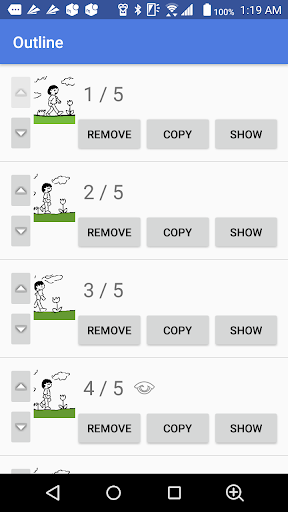
Dynamic Animation CreationWith the ability to create detailed flipbook animations, users can add, remove, duplicate, or list anime frames effortlessly. You can also adjust the speed of your animations for a customized viewing experience.
-
Community InteractionEngage with other animation enthusiasts through comments on uploaded animations. Share your work and receive feedback, creating an interactive platform for creators.
-
Upload and Share CapabilitiesEasily save your animations and upload them to the dedicated website, allowing you to share your work globally. Gain visibility and connect with other artists.
-
Convenient Editing ToolsAccess powerful editing features like undo, color fill, and eraser tools that help you perfect each frame, ensuring a smooth and precise animation process.
Pros
-
User-Friendly DesignThe app’s touch drawing interface is simple to navigate, making it accessible for both beginners and experienced animators.
-
Robust Animation FeaturesOffers comprehensive tools for creating and manipulating animations, including frame management and speed adjustment, which enhances creative freedom.
-
Active Community EngagementEncourages a supportive creator community through comment features, allowing users to receive constructive feedback and inspiration.
Cons
-
Limited Advanced FeaturesWhile Anime Maker is great for simple animations, professional animators may find its tools insufficient for complex projects.
-
Potential Performance IssuesOn lower-end devices, heavy use of features like rapid frame switching may cause lag, impacting the user experience during creation.
Price
-
Free to UseAnime Maker is available for free, providing access to basic features suited for casual animators looking to explore their creativity without financial commitment.
-
No Subscription FeesCurrently, there are no paid versions or subscriptions, making it an attractive option for users wanting to create animations at no cost.