
RATINGS
460M
DOWNLOADS
4+
AGE

 Download Latest APK

Wait a moment, your result is coming soon!

Face is not found. Please try again with another clear full-face portrait of a better quality.

Take Quiz Now
Screenshots


About this app
-
 Name Creative Cloud Express: Design
-
 category Art & Design
-
 Price Free
-
 Safety 100% Safe
-
 Developer Adobe
-
 Version 7.3.0
-
 Target Casual Creators
-
 Update 2026.11.21
Related articles




Core Features
-
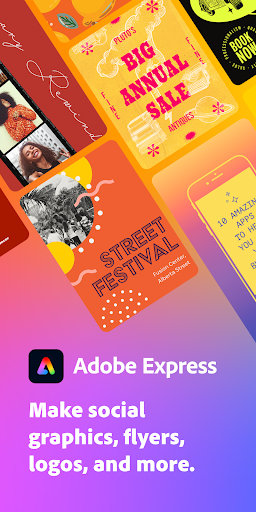
Diverse Template CollectionCreative Cloud Express offers a wide range of professionally designed templates for various needs, including stories, social media posts, logos, posters, and more. Users can easily customize these templates to fit their personal or business branding.
-
Guided Tools for Quality DesignThe app provides easy-to-use guided tools that allow users to achieve high-quality graphic designs in just a few taps. Features like background removal and one-tap resizing make the design process efficient and user-friendly.
-
Rich Media Content LibraryAccess to a vast collection of royalty-free Adobe Stock photos, Adobe Fonts, icons, and backgrounds empowers users to create unique visual content that stands out. This library enhances creativity and provides endless inspiration.
-
Social Media SharingUsers can animate video posts and share their creations directly to various social media platforms like Instagram and Facebook, streamlining the process of reaching an audience without complicated export steps.
-
Cross-Platform SynchronizationSync your designs between the Creative Cloud Express mobile app and web platform effortlessly. This ensures that users have access to their projects from any device and can collaborate easily.
Pros
-
User-Friendly ExperienceThe intuitive interface and guided design tools simplify the creative process for users of all skill levels, making it easy to achieve professional-quality designs quickly.
-
High-Quality OutputsWith access to Photoshop-quality effects, filters, and textures, users can create visually stunning graphics that meet professional standards effortlessly.
-
Trial and Subscription ModelThe 14-day free trial allows users to explore the app’s full capabilities before committing to a subscription, enhancing user confidence in the investment.
-
Vast Resource AvailabilityUsers benefit from an extensive library of templates and media resources, enabling them to create diverse designs without the need for external tools or purchases.
-
Seamless Social IntegrationThe ability to publish designs directly to social media platforms enhances convenience for users focused on engaging with their audiences effectively.
Cons
-
Potential Resource LimitationsWhile the free version offers a substantial range of features, certain premium features and advanced templates are locked behind a subscription paywall, which may limit access for non-subscribers.
-
Subscription Renewal ComplexityUsers must manage their subscription settings carefully, as payments renew automatically unless turned off, which may lead to unwanted charges if not monitored.
-
Internet DependencyCertain features, especially those that access Adobe Stock or enable cloud synchronization, require a stable internet connection, which may hinder usability in low-connectivity areas.
-
Limited Premium ContentThe Adobe Stock collection does not include premium or editorial content, which may restrict users who require specific high-end resources.
-
Compatibility IssuesWhile designed for ease of use, the app may experience performance lags on lower-end devices, especially when processing high-resolution graphics or animations.
Price
-
Free VersionUsers can download Creative Cloud Express for free, providing access to basic templates and tools, suitable for casual users or light graphic design needs.
-
Paid Subscription BenefitsThe paid membership unlocks all premium templates, access to the complete Adobe Stock photo library, advanced editing tools, and additional features, catering to professional users who demand more.
-
Trial AvailabilityNew users can take advantage of a 14-day free trial of the full subscription, allowing them to explore premium features without any financial commitments.
-
In-App PurchasesOptional in-app purchases are available for users looking to enhance their experience or access specific premium templates and tools, providing flexible purchasing options.
-
Subscription ManagementSubscriptions automatically renew, but users can manage renewal options directly through their Google Play account settings, ensuring control over their subscription plans.