
RATINGS
930M
DOWNLOADS
4+
AGE

 Download Latest APK

Wait a moment, your result is coming soon!

Face is not found. Please try again with another clear full-face portrait of a better quality.

Take Quiz Now
Screenshots
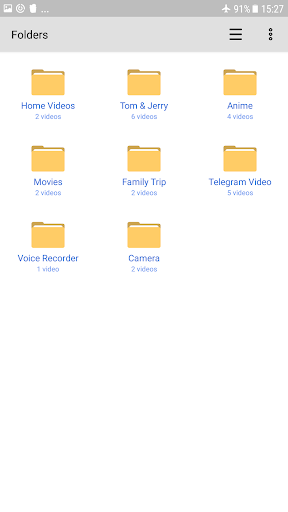
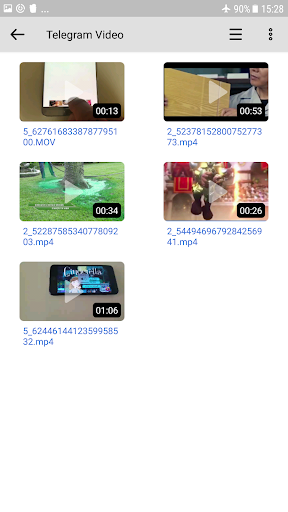

About this app
-
 Name Lime Player
-
 category Video Players & Editors
-
 Price Free
-
 Safety 100% Safe
-
 Developer Lime Player Team
-
 Version 1.0.5
-
 Target Casual Users
-
 Update 2026.11.21
Related articles


Core Features
-
Advanced Hardware AccelerationLime Player employs advanced hardware acceleration with its HW+ decoder, ensuring optimal performance and smooth playback of high-quality video files, even in Full HD and 4K resolutions.
-
Wide Format SupportThis versatile player supports a plethora of video formats such as HD, WAV, MOV, AVI, FLV, WMV, MP4, M4V, RMVB, and FLAC, making it an excellent choice for any video playback needs.
-
Subtitle CompatibilityLime Player supports multiple subtitle formats including TMPPlayer, SubRip, Teletext, and WebVTT, allowing users to enjoy movies and shows in their preferred language effortlessly.
-
Multi-Language SupportWith support for multiple languages, Lime Player guarantees accessibility and user-friendliness for a global audience, catering to diverse linguistic preferences.
-
Quick Load and ResponseThe player is designed for swift start-up times, providing a seamless viewing experience right from the moment it is launched.
Pros
-
Smooth Playback for High DefinitionLime Player ensures a smooth playback experience even with high-definition content, making it ideal for video enthusiasts who prioritize quality.
-
Responsive Customer SupportUsers have praised the prompt response from the customer support team, highlighting their commitment to resolving issues and releasing timely updates.
-
Fast LaunchingThe quick loading time of Lime Player allows users to jump straight into their content without unnecessary delays.
Cons
-
Frequent CrashesSome users report that the app tends to crash frequently, which can disrupt the viewing experience and may require re-launching the application.
-
Playback IssuesUsers have experienced constant skipping and freezing during playback, which can be particularly frustrating during critical moments of a video.
-
Dependency on ShowboxThe requirement to download Lime Player through the Showbox app may deter some users, as it limits access for those who want to use the player independently.
Price
-
Free to UseLime Player is available for free, giving users access to a comprehensive range of features without any upfront cost, making it a great choice for budget-conscious viewers.
-
No Hidden FeesThere are no hidden fees associated with downloads or in-app purchases, ensuring a transparent and worry-free user experience.