
RATINGS
130M
DOWNLOADS
4+
AGE

 Download Latest APK

Wait a moment, your result is coming soon!

Face is not found. Please try again with another clear full-face portrait of a better quality.

Take Quiz Now
Screenshots




About this app
-
 Name Microsoft Family Safety
-
 category Parenting
-
 Price Free
-
 Safety 100% Safe
-
 Developer Microsoft Corporation
-
 Version 1.24.0.941
-
 Target Family Managers
-
 Update 2026.11.21
Related articles




Core Features
-
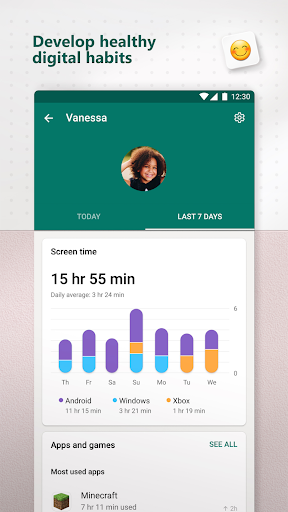
Activity ReportingUse weekly email summaries to review your children's screen time and online activity, fostering discussions around their digital habits and encouraging healthy usage.
-
Screen Time ManagementSet specific app and game time limits across various devices, including Xbox, Windows, and Android, ensuring your kids maintain a balanced approach to their screen time.
-
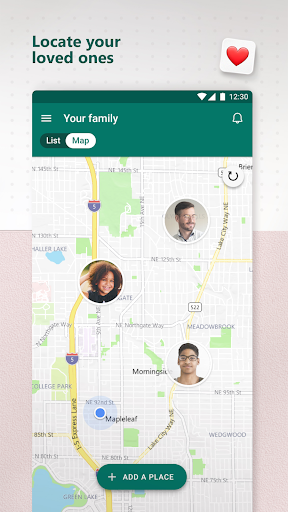
Family Location TrackingUtilize GPS tracking to stay informed about your family members' locations, including saving frequently visited spots such as schools or workplaces to ensure their safety.
-
Driving Safety InsightsAcquire valuable reports on driving behaviors—analyze top speeds, hard braking incidents, and phone usage while driving, helping to cultivate safer driving practices.
-
Content FilteringImplement web filters for kid-friendly browsing and block inappropriate content on apps and games, promoting a safer online environment for children.
Pros
-
Robust Digital ManagementComprehensive features allow parents to oversee screen time, monitor online activity, and facilitate healthy digital habits, supporting children's well-being.
-
Privacy ProtectionDedicated to safeguarding user data, the app does not sell location information and prioritizes user consent, ensuring families can use it with confidence.
-
Cross-Platform SupportFunctionality across multiple devices—Xbox, Windows, and Android—provides an integrated family safety experience, accommodating diverse user environments.
-
Free and Premium OptionsOffers core features for free while providing additional benefits, like location alerts and driving safety, through a Microsoft 365 Family subscription.
Cons
-
Limited Driving Features AvailabilityDriving safety functionalities are currently restricted to specific countries (e.g., US, UK, Canada), which may limit access for families outside these regions.
-
Dependency on Location PermissionsFor GPS tracking and driving features, users must enable location permissions, which may raise privacy concerns for some families.
-
Subscription Required for Full ExperienceWhile many features are free, some advanced capabilities necessitate a Microsoft 365 Family subscription, which might deter budget-conscious users.
Price
-
Free VersionAccess essential features such as activity reporting, screen time limits, and content filtering without any cost, making it widely accessible for all families.
-
Premium VersionBy subscribing to Microsoft 365 Family, unlock exclusive features like location alerts and detailed driving safety reports, enhancing your family management experience.