
RATINGS
2607M
DOWNLOADS
4+
AGE

 Download Latest APK

Wait a moment, your result is coming soon!

Face is not found. Please try again with another clear full-face portrait of a better quality.

Take Quiz Now
Screenshots




About this app
-
 Name Remove Objects - Photo Editor
-
 category Photography
-
 Price 0
-
 Safety 100% Safe
-
 Developer InShot Inc.
-
 Version 8.0
-
 Target Casual Users
-
 Update 2025.07.11
Related articles




Core Features
-
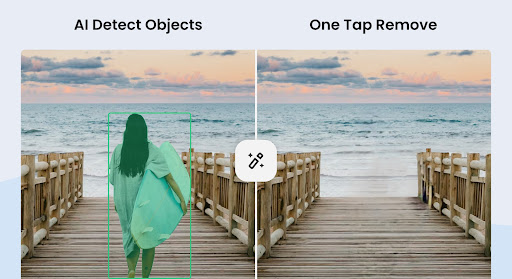
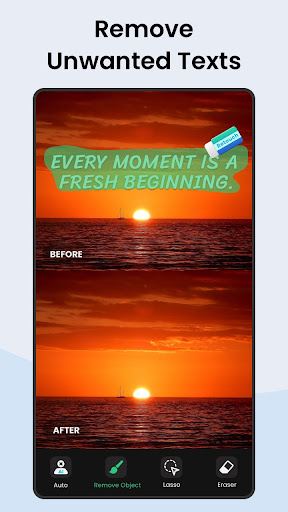
Object Removal ToolEffortlessly eliminate unwanted objects from your photos with a few simple taps. This intuitive tool uses advanced algorithms to seamlessly blend the background, ensuring your edits are virtually undetectable.
-
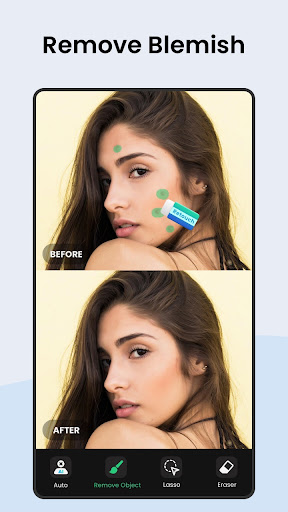
Smart Retouching OptionsUtilize smart retouching features that intelligently identify and restore areas surrounding removed objects, providing a professional finish without the need for extensive manual editing.
-
User-Friendly InterfaceNavigate with ease through a sleek and intuitive interface designed for users of all skill levels. The straightforward layout allows you to focus on editing rather than figuring out how to use the app.
-
High-Quality OutputExport your edited photos in high resolution without sacrificing quality. Perfect for sharing on social media, printed materials, or personal collections.
-
Multi-Layer EditingEdit photos using multiple layers for better control over your editing process. This feature allows for versatile editing experiences, making it suitable for detailed and complex modifications.
Pros
-
Easy to UseDesigned for both novices and experienced users, the app offers straightforward tools and guided features that enhance the user experience without overwhelming them.
-
Versatile Editing ToolsAlong with object removal, the app includes various retouching and enhancement tools, such as color adjustment and brightness settings, enabling users to perfect their images.
-
Regular UpdatesThe app frequently receives updates with new features, tools, and improvements based on user feedback, ensuring it stays relevant in the competitive photo editing market.
Cons
-
Learning CurveWhile generally user-friendly, some advanced features may require a brief learning period for new users to fully utilize, particularly for those unfamiliar with photo editing concepts.
-
Resource IntensiveHigh-resolution photo editing might slow down performance on lower-end devices, leading to potential lag during the object removal process.
-
Ads in Free VersionThe free version includes ads that may disrupt the editing experience, although they can be removed by upgrading to the premium subscription.
Price
-
Free VersionAccess basic object removal and editing tools completely free, allowing casual users to enhance their photos without any upfront cost.
-
Premium SubscriptionUpgrade to the premium version for a small monthly fee to unlock additional features such as ad-free usage, advanced tools, and exclusive content, enriching your editing experience.
Ratings
4.8
373.6K votes
-
5
-
4
-
3
-
2
-
1